Leave Your Message

Why Choose a UV Machine for Printing?

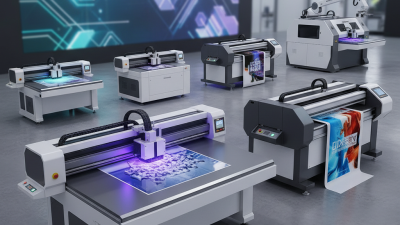
Choosing the right printing technology affects product quality, production speed, and long-term operating costs. A Uv Machine For Printing uses ultraviolet light to cure ink almost instantly after it reaches the surface. This process creates sharp images on materials such as acrylic, glass, wood, metal, plastic, and coated paper. The result feels practical, not merely impressive: printed colors remain visible, fine text stays readable, and finished products can leave the machine sooner.

Speed matters in real production. A workshop printing ten acrylic signs may reduce waiting time because curing happens during the printing process. UV printing also supports white ink, varnish, and layered effects. These features can make transparent or dark materials look more vivid. However, the machine is not a universal solution. Ink adhesion may vary between surfaces, and some materials still require cleaning, testing, or primer treatment. Small details matter.

Good decisions depend on more than promotional claims. Operators should examine printhead quality, ink compatibility, maintenance access, ventilation requirements, software control, and technical support. A reliable supplier should explain expected output, warranty terms, calibration needs, and replacement costs clearly. Certification and safe operating instructions also deserve attention, especially in shared workplaces.

The learning curve is real. It can be frustrating.

From practical use, consistent results usually come from careful surface preparation and regular nozzle checks. Even an advanced machine may produce banding when maintenance is ignored. Energy consumption, workspace size, and production volume should also influence the purchase. For businesses seeking durable customization, the Uv Machine For Printing can be a strong investment, but only when its capabilities match the actual workflow. Its value comes from suitable application, controlled operation, and honest evaluation.
Why Choose a UV Machine for Printing?

What Is a UV Printing Machine?

A UV printing machine is a digital printer that uses ultraviolet light to cure ink immediately after it reaches the surface. The ink changes from liquid to a dry, durable layer within seconds. This process supports printing on materials such as acrylic, glass, wood, metal, plastic, and coated paper. Unlike traditional printing, UV printing often needs less drying space. It can also create sharp text, bright colors, and textured effects. However, results depend on ink settings, surface preparation, and operator skill.

Tips: Clean the material first. Test a small area. Adjust curing power carefully. Excessive curing may affect gloss, while weak curing can cause smearing. Check adhesion after printing, especially on smooth surfaces. A simple tape test can reveal problems before production. Do not skip ventilation and routine maintenance.

In practical use, UV machines can reduce waiting time between printing and handling. They suit short runs, personalized items, signs, packaging samples, and decorative panels. Yet they are not perfect for every job. Some flexible materials may need special ink or treatment. I have found that color matching also requires patience, because the same file can look different on different surfaces. A reliable workflow records material type, ink settings, curing speed, and cleaning results. That record makes future adjustments more consistent.
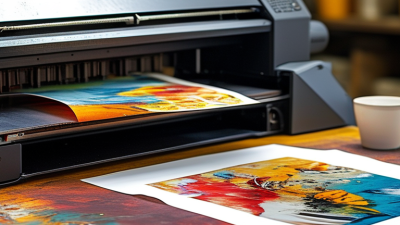
How UV Curing Works During the Printing Process

Why Choose a UV Machine for Printing?

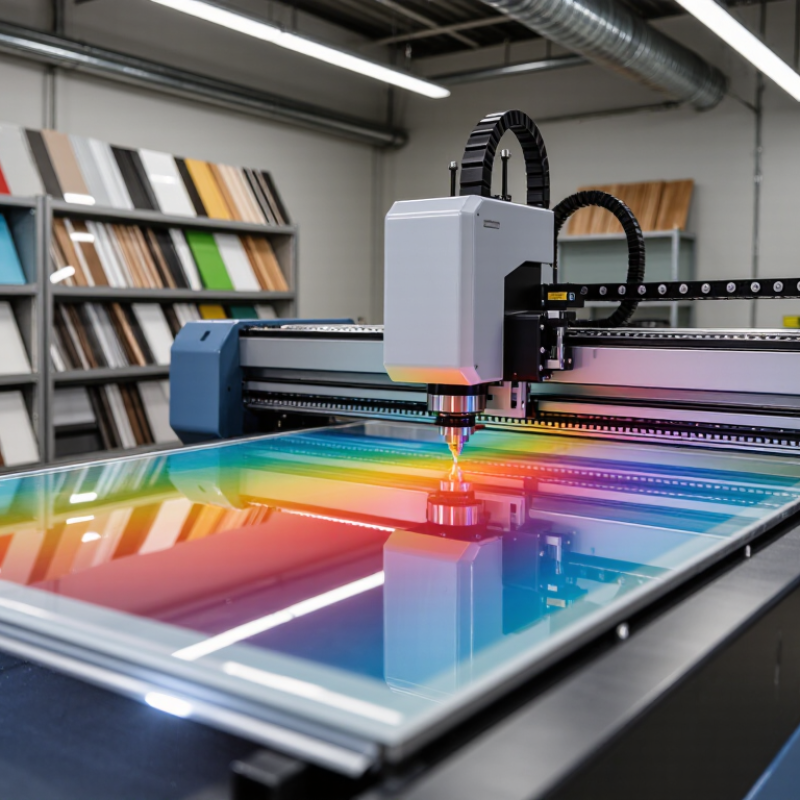
UV printing uses ultraviolet light to cure ink directly on the print surface. The ink contains reactive compounds called photoinitiators. When UV light reaches them, a rapid chemical reaction begins. The liquid ink forms a solid film within seconds. It does not simply dry by evaporation. This difference matters when printing on coated paper, acrylic, glass, metal, wood, or flexible materials.

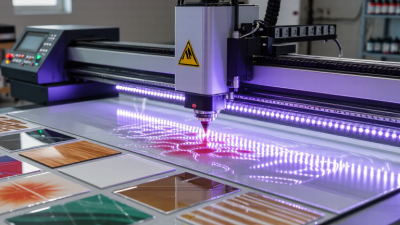
The curing unit usually sits close to the printhead. As the material moves beneath the UV LEDs, each ink layer receives controlled light exposure. Proper intensity, wavelength, and speed must work together. Too little energy can leave the surface soft or tacky. Too much heat may affect sensitive substrates. Operators should check adhesion, color density, and surface hardness after curing. Small test patches reveal problems before a full production run.

The result is immediate handling. Prints can often be cut, stacked, or assembled soon after production. UV curing also supports sharp details because wet ink has less time to spread. However, instant curing is not magic. Dust, uneven surfaces, and incorrect lamp settings still create defects. I would test every unfamiliar material, even when its surface appears suitable. Some results look excellent at first but fail after rubbing or bending. Ventilation and protective procedures remain important, because uncured ink and UV exposure require careful control.

Why Choose a UV Machine for Printing? - How UV Curing Works During the Printing Process

Process Dimension How UV Printing Works Typical Technical Range or Result Practical Advantage
Ink application UV-curable ink is deposited onto the surface through printheads. Ink remains liquid until exposed to ultraviolet light. The printer can control dot placement and image detail before curing.
UV exposure UV LED modules or other UV lamps expose the printed ink to ultraviolet radiation. Common curing systems operate in the UVA region, approximately 315–400 nm. Curing can take place directly on the printer during the print pass.
Photochemical reaction Photoinitiators in the ink absorb UV energy and generate reactive species that start polymerization. Liquid monomers and oligomers form a solid polymer film. The image becomes dry to the touch almost immediately after exposure.
Ink fixation The cured ink adheres to the substrate instead of relying mainly on evaporation. Suitable substrates may include paper, plastics, films, coated boards, glass, metal, wood, and selected rigid materials. Supports printing on both porous and many non-porous surfaces.
Drying time Curing occurs during or immediately after ink deposition. Printed sheets generally do not require extended air-drying time before handling. Shortens work-in-process time and can support faster finishing.
Dot gain and image detail Rapid curing limits the time available for ink to spread on the substrate. Fine text, sharp edges, and detailed graphics can be maintained when ink limits and curing settings are correctly calibrated. Improves apparent definition, especially on coated or smooth materials.
Layered and textured effects Multiple ink passes or clear coatings can be cured separately to build visual or tactile effects. Possible effects include raised gloss, matte areas, and dimensional details. Expands options for packaging, signage, labels, and specialty graphics.
Material compatibility Because curing is based on light-activated polymerization, the process is less dependent on substrate absorption. Substrate testing is still required for adhesion, flexibility, surface energy, and heat sensitivity. Makes it possible to print on a broader range of specialty media.
Heat management UV LED curing produces less radiant heat than many traditional UV lamp systems, although the print process still generates heat. Actual substrate temperature depends on lamp design, exposure time, printer speed, and cooling. Can help reduce thermal distortion when printing on heat-sensitive materials, subject to testing.
Surface durability The cured polymer film forms a solid layer bonded to the substrate. Resistance to scratching, chemicals, moisture, and outdoor exposure varies by ink formulation and substrate. Can improve durability for signs, labels, displays, and industrial graphics.
Energy and maintenance UV LED systems use semiconductor light sources that switch on and off rapidly. LED service life is commonly specified in the tens of thousands of operating hours, depending on system design and conditions. Instant start-up and reduced lamp replacement requirements can simplify operation.
Process control factors Cure quality depends on UV intensity, exposure time, ink chemistry, print speed, ink thickness, and substrate characteristics. Insufficient exposure may cause tackiness or weak adhesion; excessive exposure can affect color, flexibility, or surface appearance. Consistent calibration is essential for reliable print quality and adhesion.

Note: Technical results vary with ink formulation, UV dose, printer configuration, substrate properties, print speed, and environmental conditions. Always validate adhesion, curing, durability, and safety requirements with production samples.

Which Materials Can UV Machines Print On?

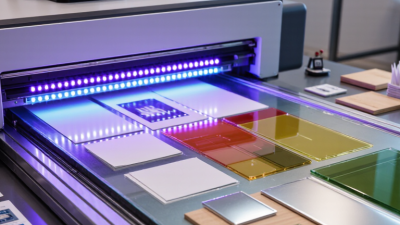
UV machines are valued because they print directly onto many rigid and flexible surfaces. Common options include acrylic, glass, aluminum, stainless steel, wood, ceramic tiles, PVC, polycarbonate, leather, coated paper, and selected textiles. A small sign can move from artwork to finished output without traditional plates.

The material still matters. Smooth glass may need cleaning and a primer for stronger adhesion. Powder-coated metal can print well, but its coating must be stable and fully cured. Wood absorbs ink unevenly, creating a warmer, textured appearance. Flexible films require ink that can bend without cracking.

According to Smithers’ report The Future of Digital Print for Packaging to 2028, digital packaging print is projected to grow from about $22 billion in 2023 to nearly $37 billion by 2028. This growth reflects demand for short runs and variable designs, but it does not mean every substrate behaves identically.

Test before production. Always. Operators should check surface energy, moisture, heat sensitivity, and scratch resistance. A 3M technical report notes that surface preparation strongly affects adhesive performance, a useful reminder for direct-to-object printing.

In practical testing, wipe the surface, print a color patch, and perform a cross-hatch or tape test after curing. Some materials may need primer, white ink, or a protective coating.

The phrase “prints on everything” sounds attractive, but it is incomplete. UV printing is versatile, not magical.

What Advantages Does UV Printing Offer?

Why Choose a UV Machine for Printing?

UV printing offers practical advantages when speed, detail, and material flexibility matter. UV light cures the ink almost instantly, so printed sheets can move directly to finishing. This reduces waiting time and helps prevent smudging during handling. In my experience, sharp text and small graphics remain clear on signs, packaging samples, and promotional panels. The process also works on materials such as acrylic, glass, coated wood, metal, and selected plastics.

Another advantage is surface control. UV inks can create vivid color, subtle texture, or a raised effect in one workflow. This gives designers more ways to make a surface feel distinctive. The printed layer often shows good resistance to light and everyday handling, although performance depends on ink, substrate, and exposure conditions. It is not perfect. Adhesion may fail on dusty, oily, or highly flexible materials. A reliable operator checks these details instead of trusting appearance alone. Test before production.

Tips: Wipe the surface carefully, then print a small test panel. Check adhesion after curing, not immediately. Compare color under the lighting used by customers. Keep maintenance records, because blocked printheads can quietly reduce image quality. Ask for technical data when durability matters. A beautiful sample can still mislead.

What to Consider Before Choosing a UV Machine?

Choosing a UV machine starts with the substrate, not the advertised print speed. Paper, acrylic, glass, metal, wood, and flexible films can require different ink adhesion and curing settings. Start with the substrate. Request printed samples using your real materials, textures, and dark colors.

Smithers’ The Future of Digital Print to 2027 forecasts the global digital print market will reach about $230.5 billion by 2027. This growth supports UV investment, but market growth does not guarantee a good purchase. Check maximum sheet size, effective production speed, resolution, white-ink performance, and curing consistency. A machine rated for 50 square meters per hour may produce less during frequent cleaning, color changes, or detailed work. Test before buying.

Energy use and maintenance also deserve careful attention. UV LED systems generally generate less heat and may reduce lamp replacement compared with traditional UV systems. However, results depend on workload and machine design. Review the total cost of ownership, including printheads, filters, lamps, ink waste, software, and technician support. FESPA’s 2023 Print Census reported that sustainability is becoming a stronger business priority among printers, yet practical measurement remains uneven. That is worth remembering. Ask for measured power consumption, curing data, and service response times. A perfect machine does not exist; the safest choice is the one that performs reliably on your actual jobs.

UV printing cures ink with ultraviolet light rather than waiting for evaporation, so the printed surface is typically ready for handling in about one second. Solvent-based and water-based inks generally require considerably longer drying times, depending on ink formulation, coating weight, temperature, humidity, and airflow. Before choosing a UV machine, also evaluate substrate adhesion, ventilation requirements, lamp maintenance, operating cost, and the types of materials you plan to print.

Representative industry ranges shown for comparison; actual curing and drying times vary by machine settings, ink, substrate, and environmental conditions.